
Open 9Xtream and choose Add Xtream Codes API on the Choose Login Type screen. Enter a name, the username, password and host URL that Smootv sent you, and press Add Playlist. Select your playlist under My Playlists, wait a few seconds, and the home screen opens with Live TV, Movies and Series.
What You Need
- The 9Xtream app installed on your device
- Your Smootv login details: username, password and host URL (they are in the message we sent you with your trial or subscription)
- A working internet connection on that device
Good to know
9Xtream is a player without any channels of its own. A subscription for the content is something you get from your provider, in this case Smootv, and you connect the two with the login details below.
Step 1: Choose Add Xtream Codes API
Open 9Xtream. The Choose Login Type screen shows three red buttons: Add Xtream Codes API, Use M3U URL and Play 1 Stream. Select the first one.

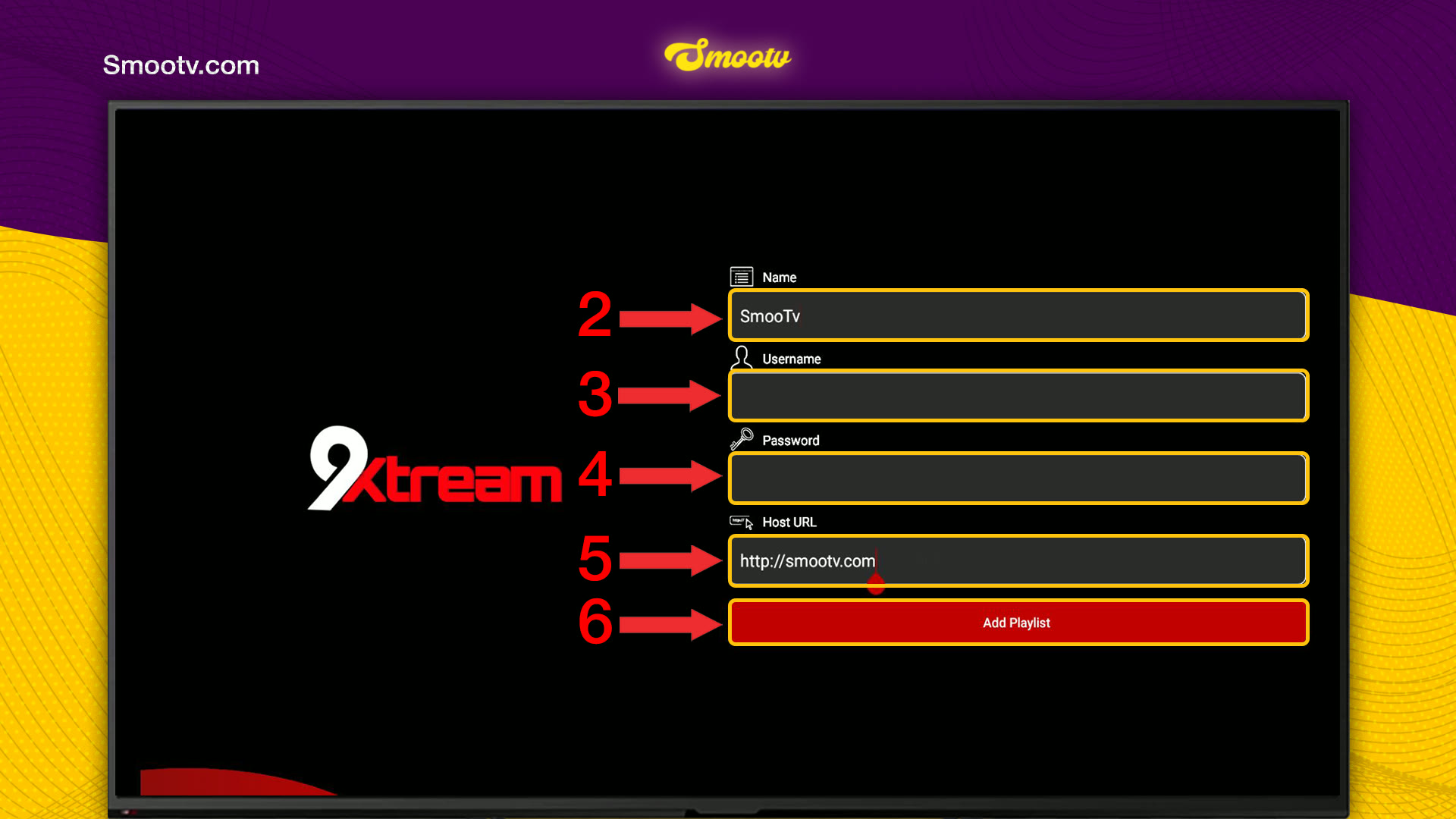
Step 2: Enter Your Smootv Login Details
- Name: type Smootv or any label you like.
- Username: the username we gave you.
- Password: the password we gave you.
- Host URL: the server address from our message, starting with http://. If we gave you a port, type it as well.
- Press Add Playlist.
Usernames and passwords are case-sensitive, so type them exactly as they appear in our message.
No playlist yet?
Ask us for a free 24-hour trial and we will send you one. Request your free trial
Step 3: Select Your Playlist and Start Watching
The app now shows My Playlists. Select the playlist you just added. If you have more than one, make sure you pick the Smootv one.
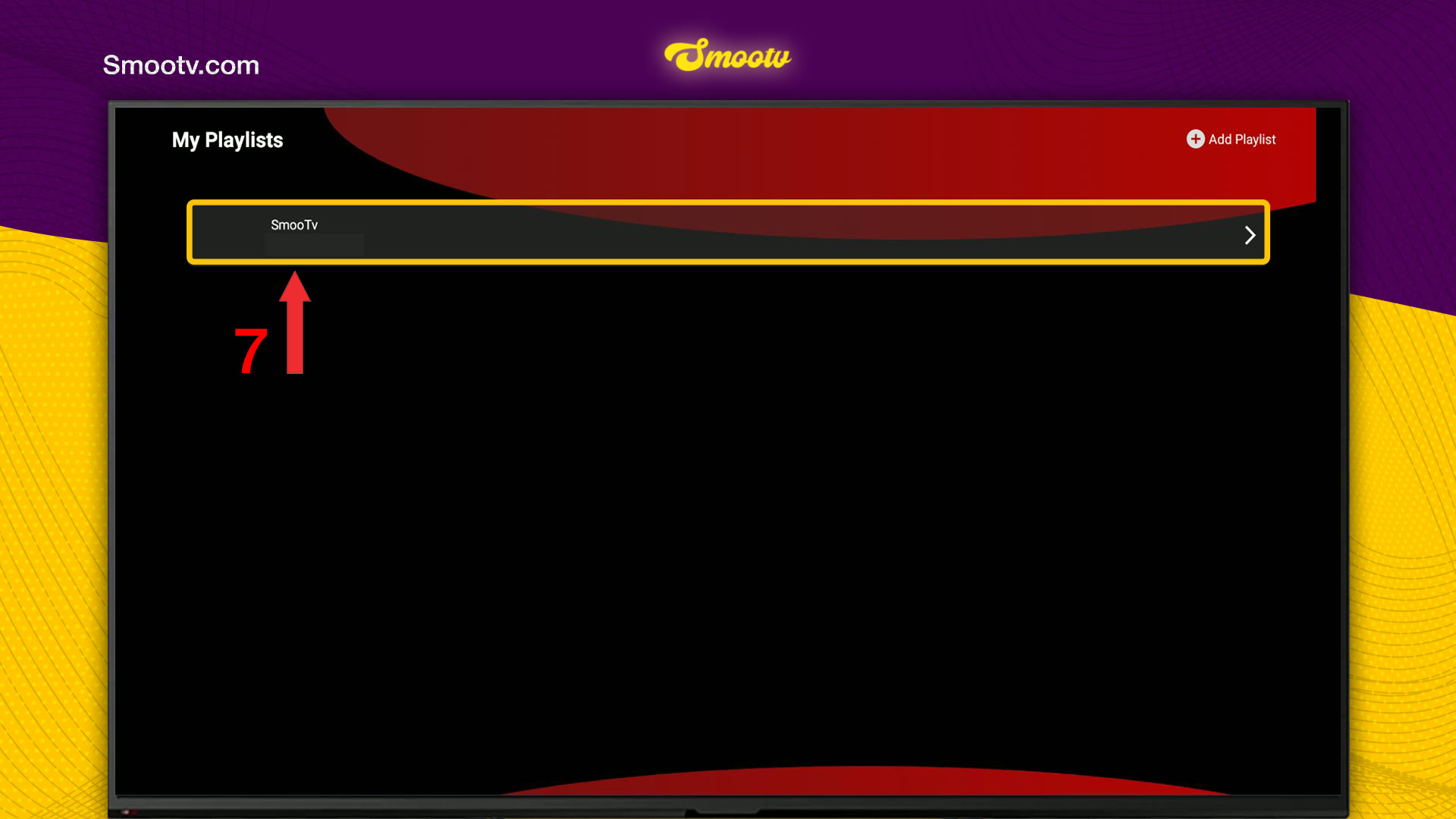
Wait a few seconds while the playlist loads. The home screen then shows three tiles, Live TV, Movies and Series, with Playlist Status, Catchup and Force Refresh below them.

That is all. Pick Live TV, Movies or Series and start watching.
If Something Does Not Work
The app does not accept the login
Check the three details again. The host URL must start with http:// and include the port if we gave you one, and the username and password are case-sensitive. If it still fails, message us and we will check your account.
Live TV, Movies or Series stays empty
Press Force Refresh on the home screen and give the app a moment. While it works you see Refreshing in the bottom right corner.
You opened the wrong playlist
Go back to My Playlists and select the one with the name you gave your Smootv login. The Add Playlist button in the top right corner lets you add another one.
The picture buffers or freezes
Use a network cable or 5 GHz Wi-Fi. You need about 25 Mbps for HD and 50 Mbps for 4K. Restarting your router and the app often helps as well.
9Xtream Questions
What do I enter as Host URL in 9Xtream?
The server address your provider gave you. For Smootv it is in the message with your login details. It starts with http:// and may end with a port number.
Does 9Xtream come with a subscription or channels?
No. 9Xtream is only the player. Channels, films and series come from the account you log in with, such as your Smootv subscription.
Xtream Codes API or M3U URL: which one should I use?
Xtream Codes API. You type three short details instead of one very long link, and the app sorts your content into Live TV, Movies and Series.
What do I type in the Name field?
Anything that helps you recognise the playlist. It is only a label in My Playlists and has no effect on the login.
Can I switch the home screen to a different layout?
Yes. At the top of the home screen there is a switch between Easy User-Interface and Detailed.
Still Stuck?
Message us on WhatsApp or Telegram and we will set it up with you, step by step.


